
Every presenter file, from upload to the right room.
Give speakers one branded upload portal, match every file to the programme, then keep each conference room laptop synced through the Presenter Upload Windows app.
Create the event workspace first. Choose a licence when you are ready to open presenter uploads.
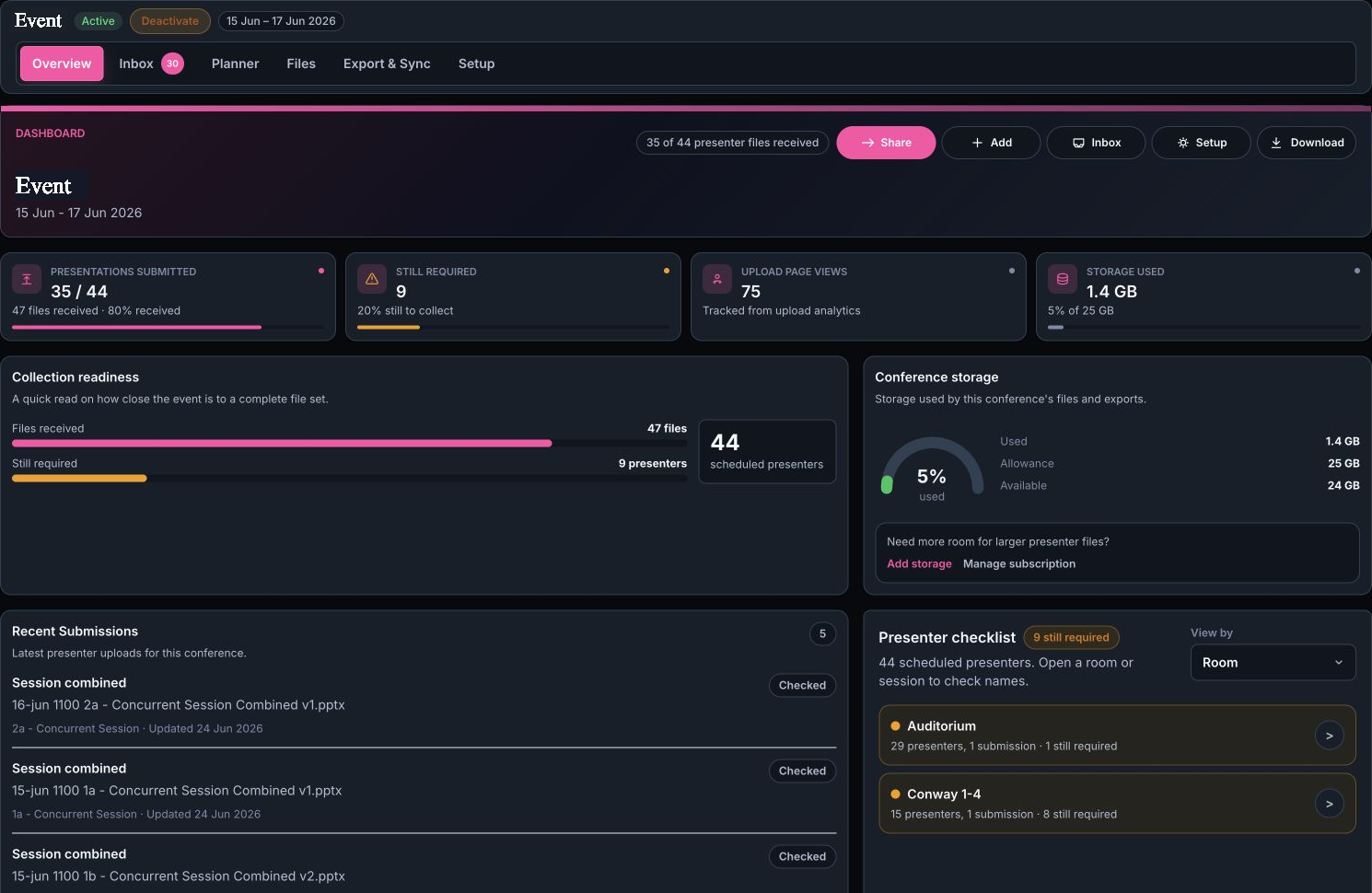
Conference Dashboard
See what has arrived and what still needs chasing.
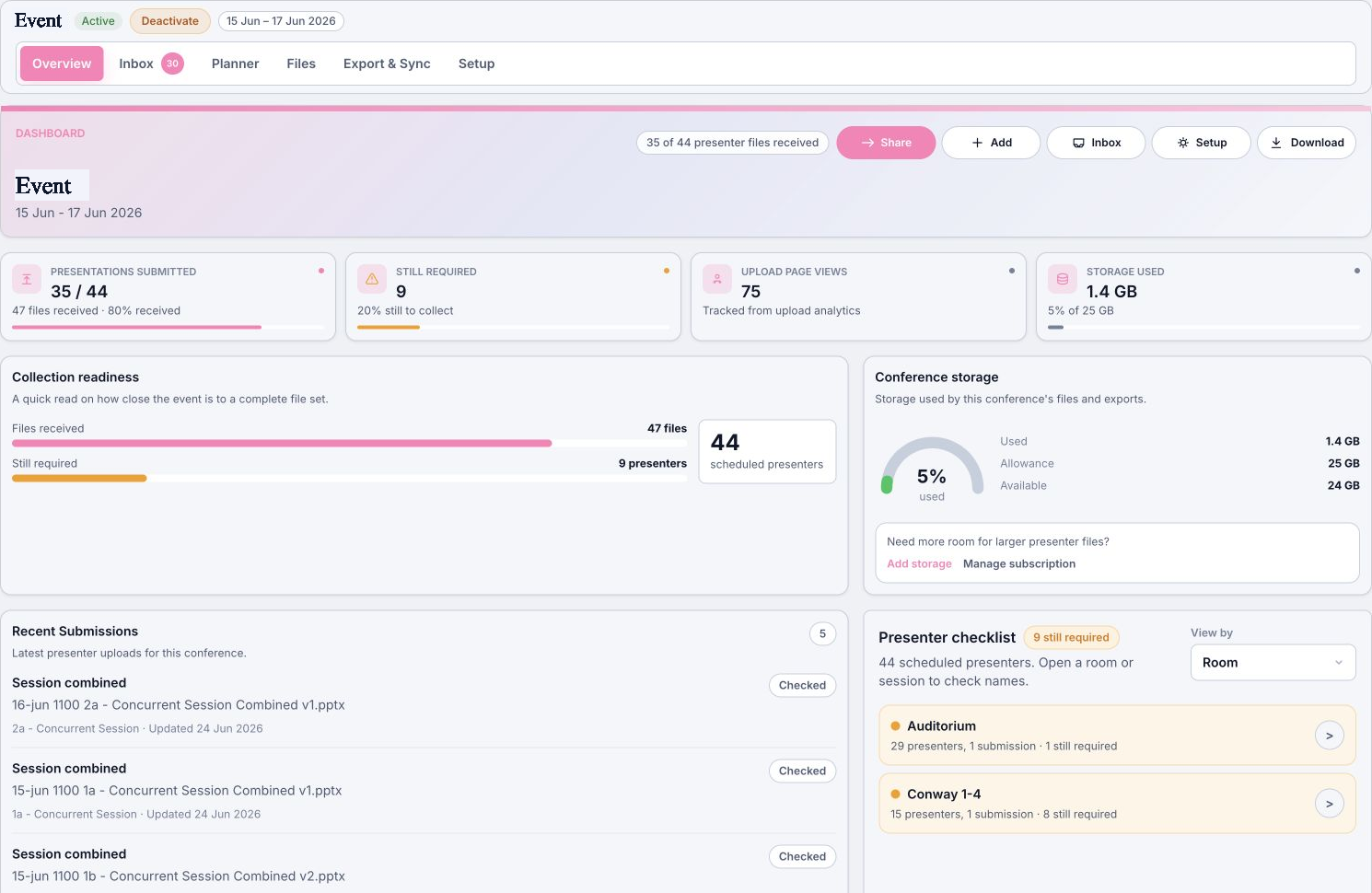
The main conference dashboard turns an imported programme into an operations checklist: presentations submitted, missing presenters, recent submissions, upload activity and storage stay visible in one place.
Sample conference dashboard
Branded Presenter Portals
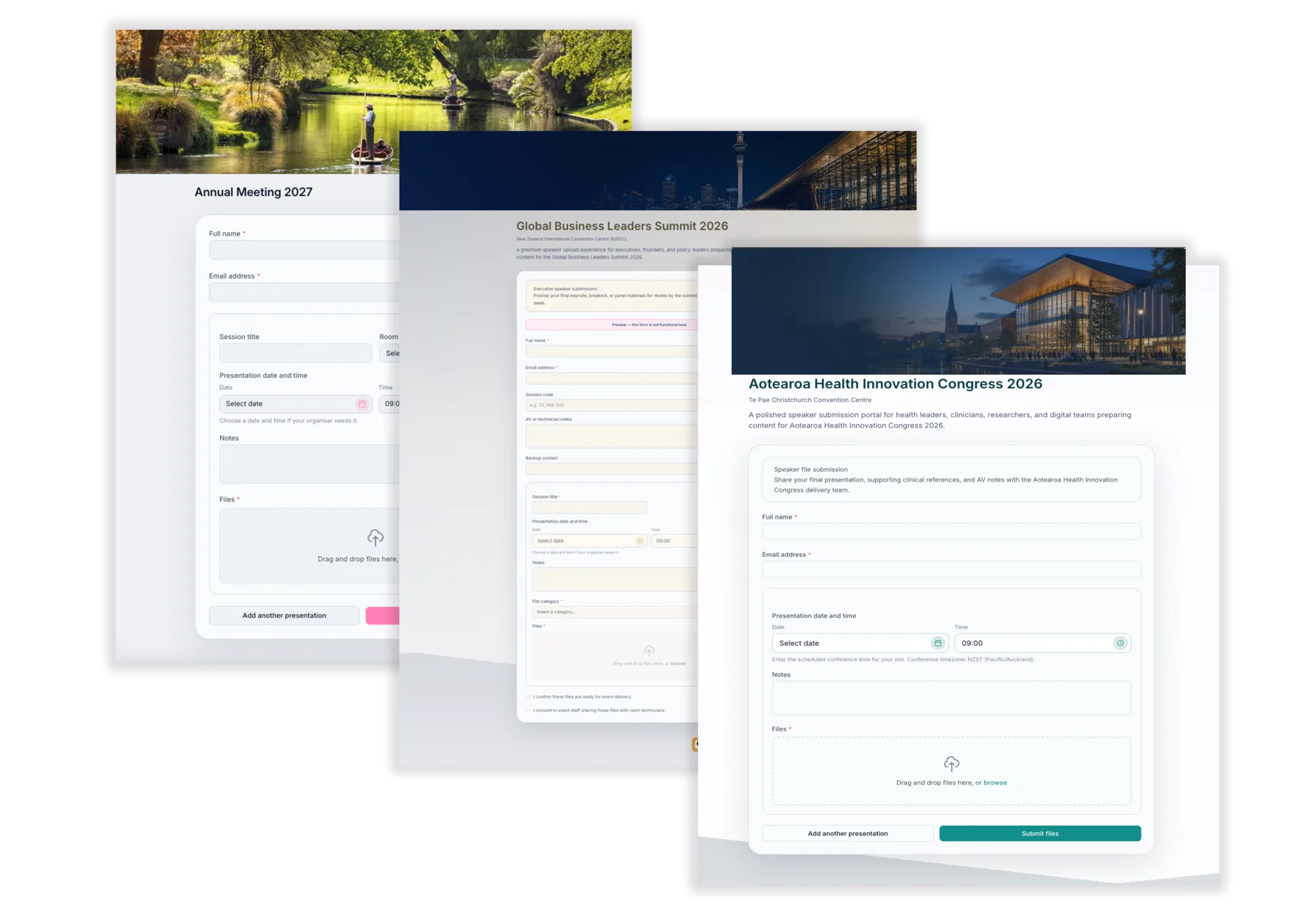
Create branded presenter upload portals.
Give presenters an upload portal that feels like part of the conference, not a generic file request.
- Add event logo, banner, colours and instructions
- Collect speaker details and notes
- Share one clear upload link for each event
From Upload To Show-Ready
Less chasing. Less manual sorting. Clearer handover.
Build the presenter portal, collect files, use Prep Agent to help match submissions, then keep the right files synced to each room.
Branded presenter portals
Share a branded upload link with your event colours and clear instructions.
AI Prep Agent
Prep Agent helps match incoming files to presenters, sessions and rooms.
Windows room sync
Keep each room laptop updated with the files assigned to its live programme.
AI Prep Agent
Let AI Prep Agent help with the sorting.
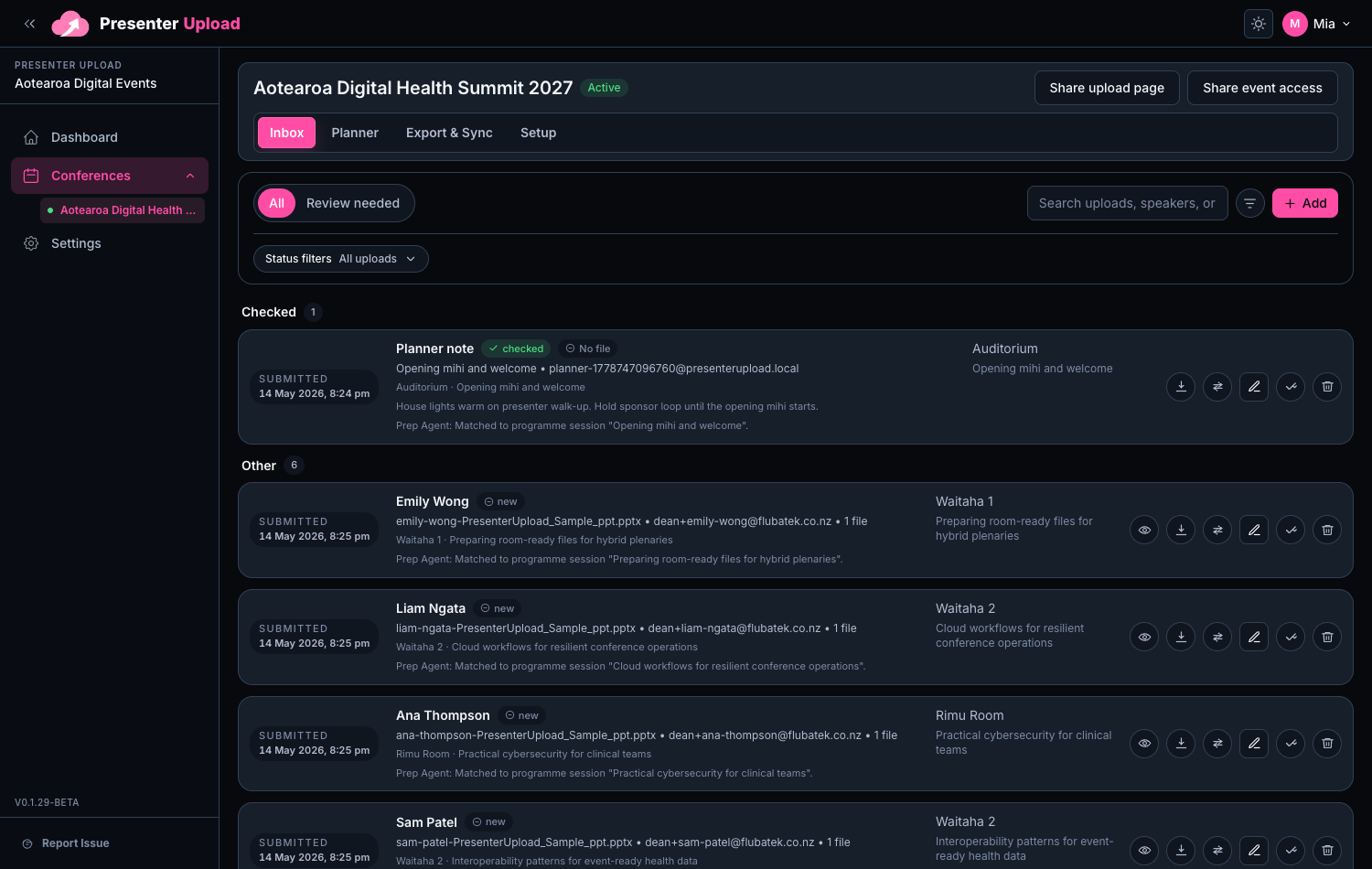
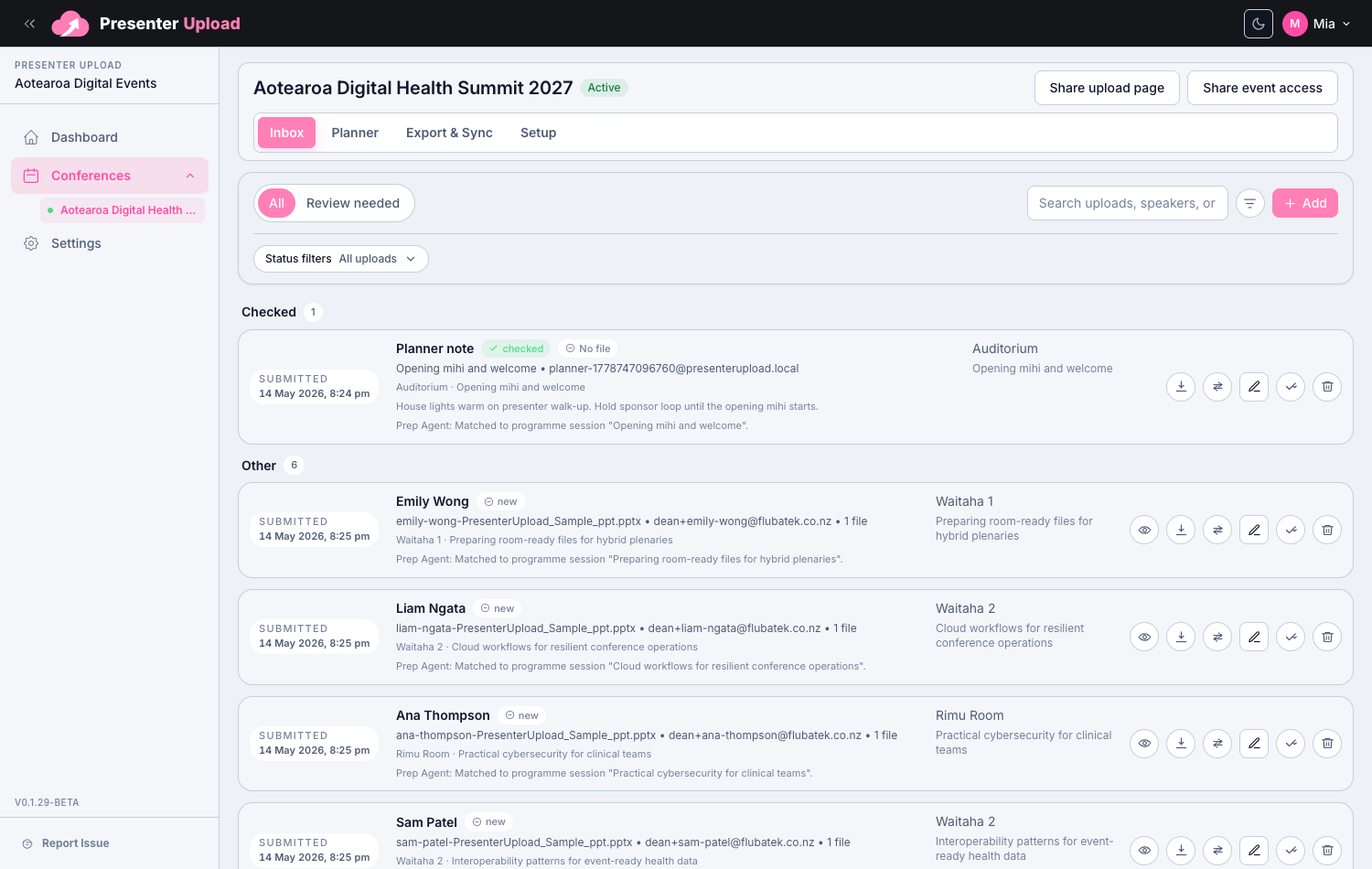
Organisers get one practical workspace for submissions, AI-assisted matching and file review before anything reaches the operator team.
- Spot new, changed, checked and missing files
- Keep original filenames and upload history for traceability
- Use AI Prep Agent suggestions for matching and review
Operator Workflow
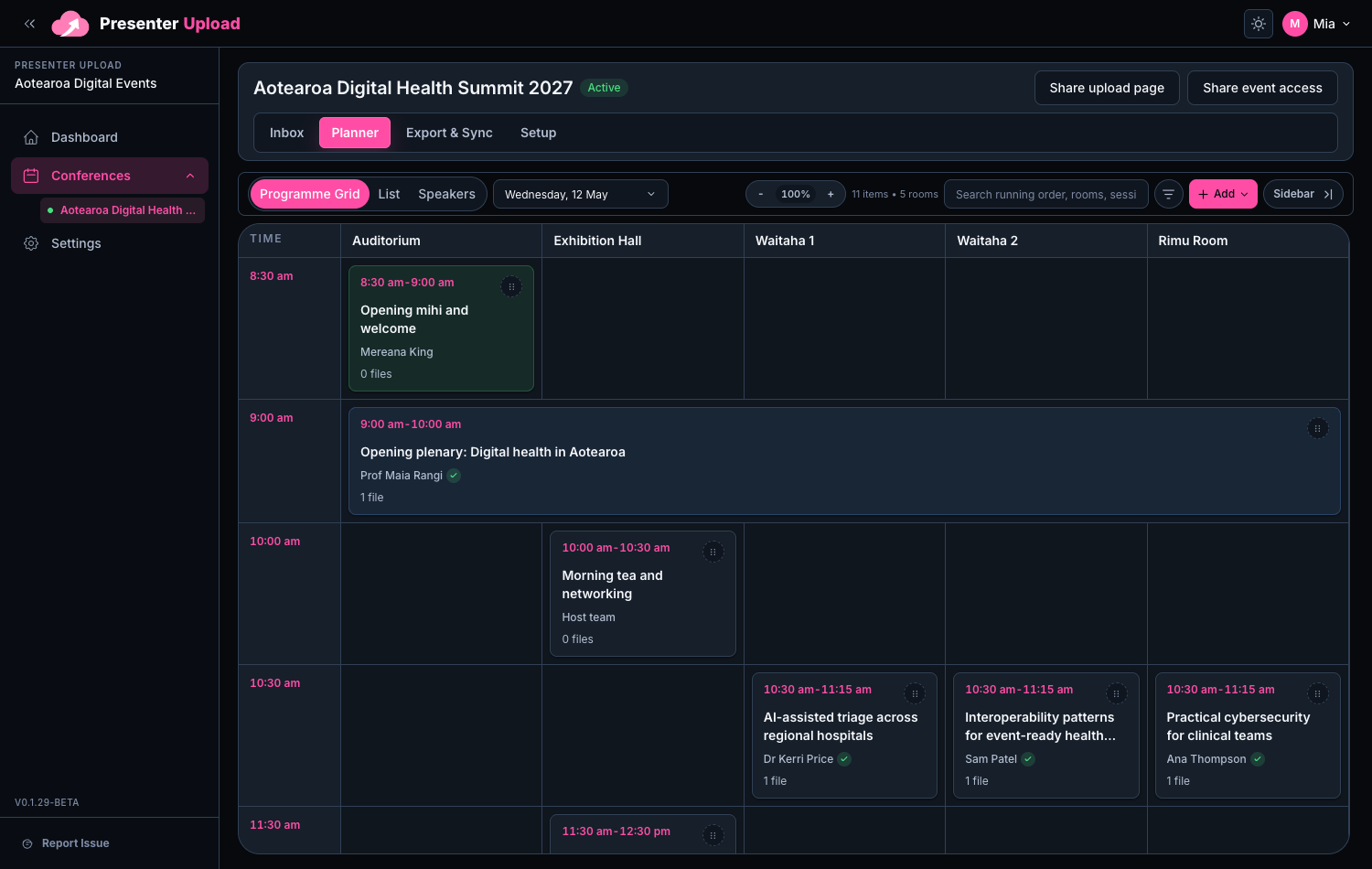
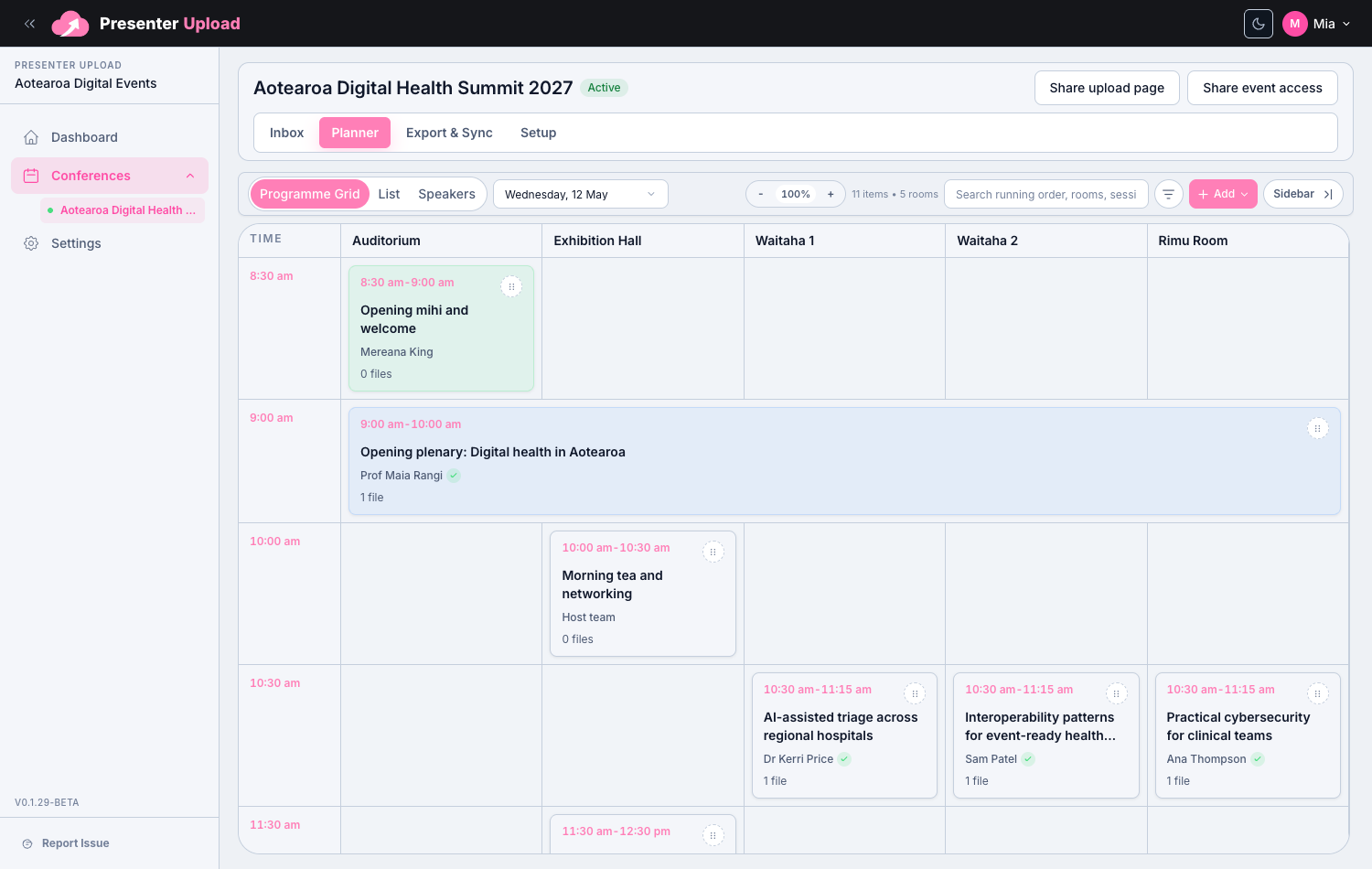
Sort files the way the conference will run.
Give the AV team a practical workspace for checking files before the conference starts.
- Use a clear room and session grid for event operations
- Group files by room, session, presenter and running order
- Export room-ready packs or sync them to Windows room laptops
Windows Room Delivery
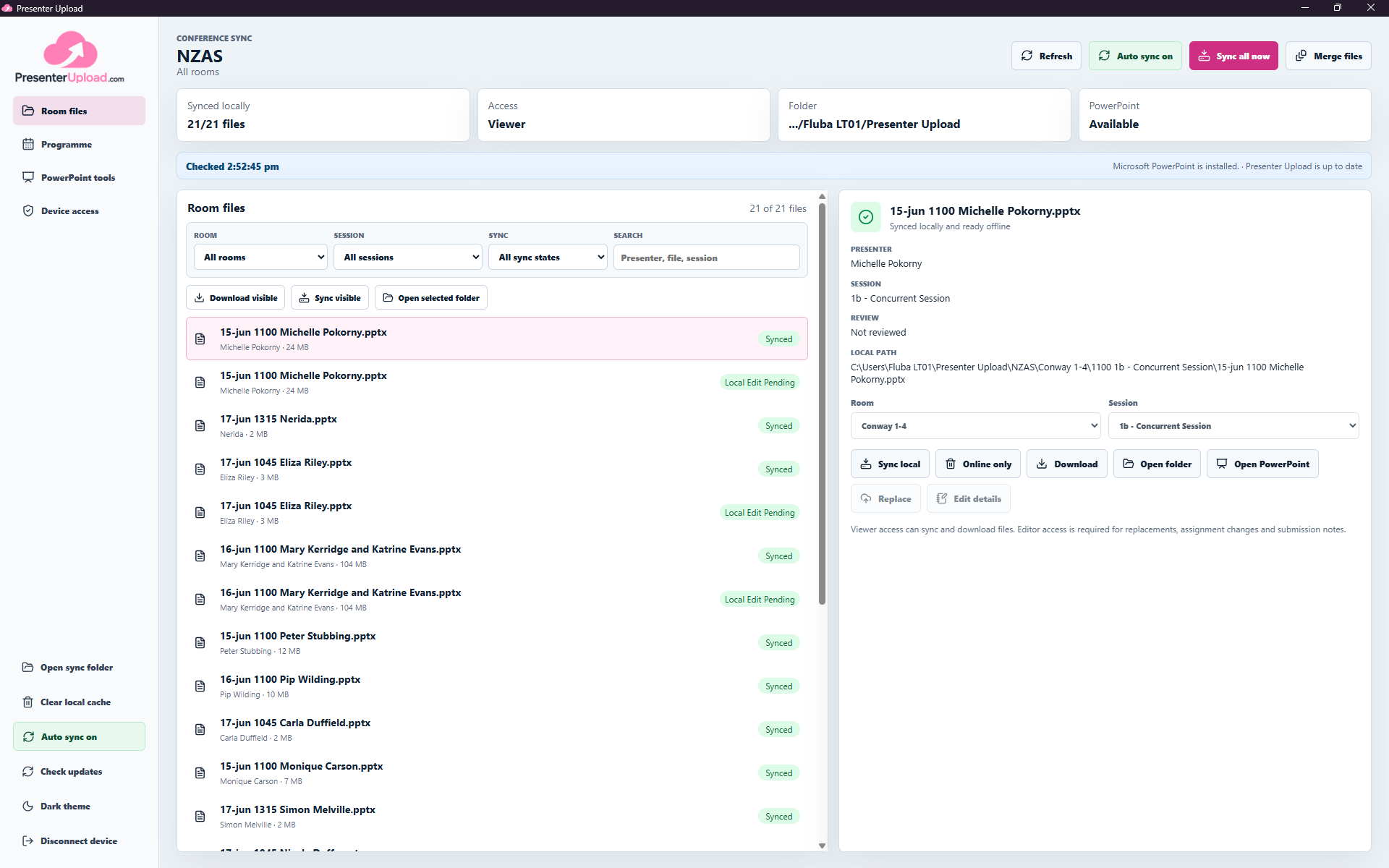
The latest presentation, waiting on the right room laptop.
Connect each Windows device to a conference with an access code, choose its room or sync scope, and keep the selected files available locally throughout setup, rehearsal and show day.
- Auto-sync new submissions and revised versions
- Search presenters and recover missing files onsite
- Open decks in PowerPoint and prepare session files
- Keep room files available when venue internet is unreliable
Room-scoped Windows workspace
Upload
Speakers send presentations and notes through the branded portal.
Match
Prep Agent helps connect each file to the presenter and programme.
Prepare
The event team checks versions, assignments and room readiness.
Sync
The Windows app keeps the right presentations on each room laptop.
Event-based pricing
Choose the way you want to run it.
Start with one event, cover a year of conferences, or add help from our team. The detailed estimate stays on the pricing page so this decision remains quick.
One event
Run it yourself.
Choose the closest event size and get a guided Essential, Standard, Production or Enterprise estimate.
Build an event estimateSeveral events
Use an annual portfolio.
Keep multiple conferences under one annual capacity and formal scope.
Review annual pricingNeed help?
Add only the support you need.
Add managed setup, remote help or onsite support without bundling it into the software licence.
Explore managed supportNeed more help?
Managed conference services
We can help set up the portal, check presenter files and prepare the AV handover for your event.


Make every presentation room-ready.
Bring presenter uploads, programme matching, preparation and Windows room delivery into one conference operations workflow.
You can create an account and build your conference workspace first. A paid pack is only needed when you activate a conference for presenter uploads.